Cách 1:

$rdpPort = 3389
$keyPath = "HKLM:\System\CurrentControlSet\Control\Terminal Server\WinStations\RDP-Tcp"
Set-ItemProperty -Path $keyPath -Name "PortNumber" -Value $rdpPort -Type DWORD
New-NetFirewallRule -DisplayName "Remote Desktop" -Direction Inbound -Protocol TCP -LocalPort $rdpPort -Action Allow -Enabled True
Restart-Service TermService -Force

Cách 2:

Check port đang dùng:
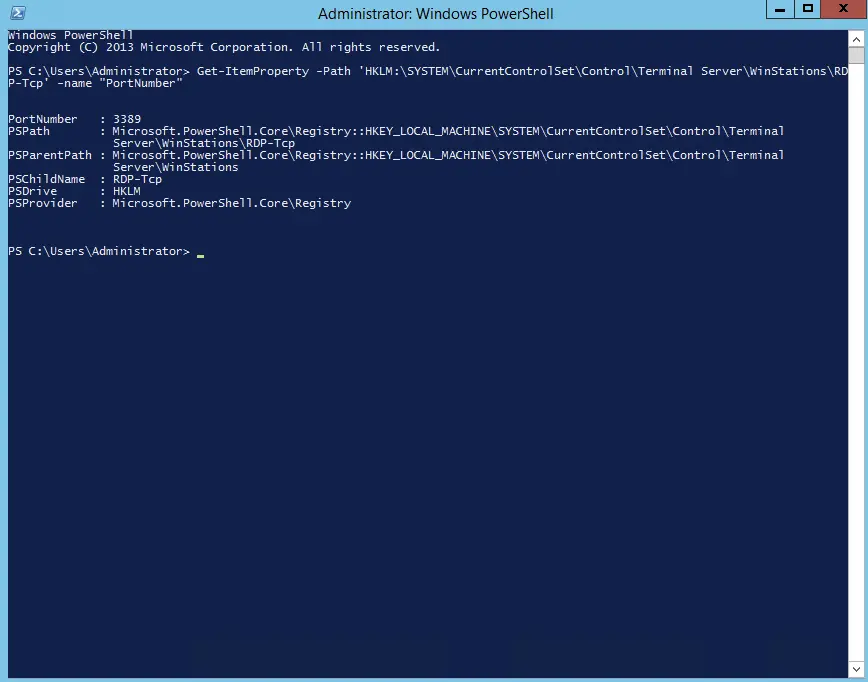
Get-ItemProperty -Path ‘HKLM:\SYSTEM\CurrentControlSet\Control\Terminal Server\WinStations\RDP-Tcp’ -name “PortNumber”

Port mặc định là 3389 đang mở, thay port này thành 1 port mới bằng cách gõ câu lệnh sau:

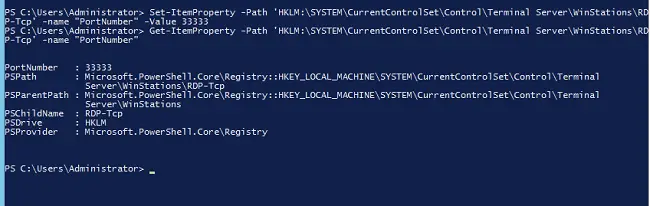
Set-ItemProperty -Path ‘HKLM:\SYSTEM\CurrentControlSet\Control\Terminal Server\WinStations\RDP-Tcp’ -name “PortNumber” -Value 33333

Port mới đã nhận từ dòng lệnh hiển thị trạng thái port đang mở.


Categorized in:

Windows,

Last Update: Tháng 7 4, 2024

Tagged in: